n8n vs Kemu: From Visual Workflows to Real, Deployable Code
If you have explored tools like n8n, you already understand the appeal of visual automation. Drag nodes, connect them, and watch data flow. But most teams eventually hit the same question: what happens when your workflow needs to live outside the tool?
Kemu takes a fundamentally different approach.
Let's compare n8n and Kemu side by side, then dig into some of Kemu's most important capabilities: exporting workflows as real Node.js applications or reusable libraries, supporting real-time image processing, and running close to physical devices at the edge.
How n8n Works (and Where It Shines)
n8n is built around a simple idea. You create workflows on a canvas. Each workflow consists of nodes (API calls, logic, triggers) that pass JSON data between them. Everything runs inside the n8n runtime.
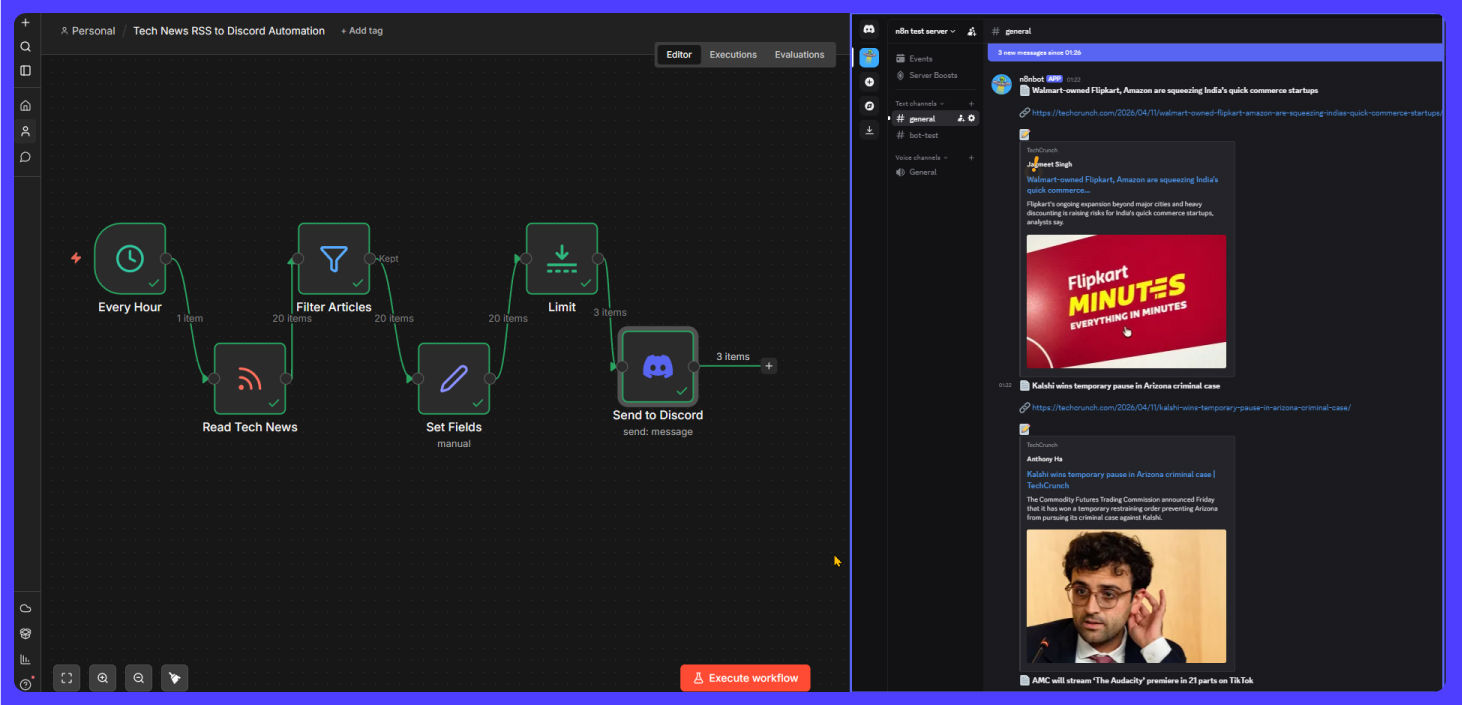
For example, a typical automation triggers on a schedule, pulls articles from an RSS feed, filters and formats them, then sends the results to Discord.
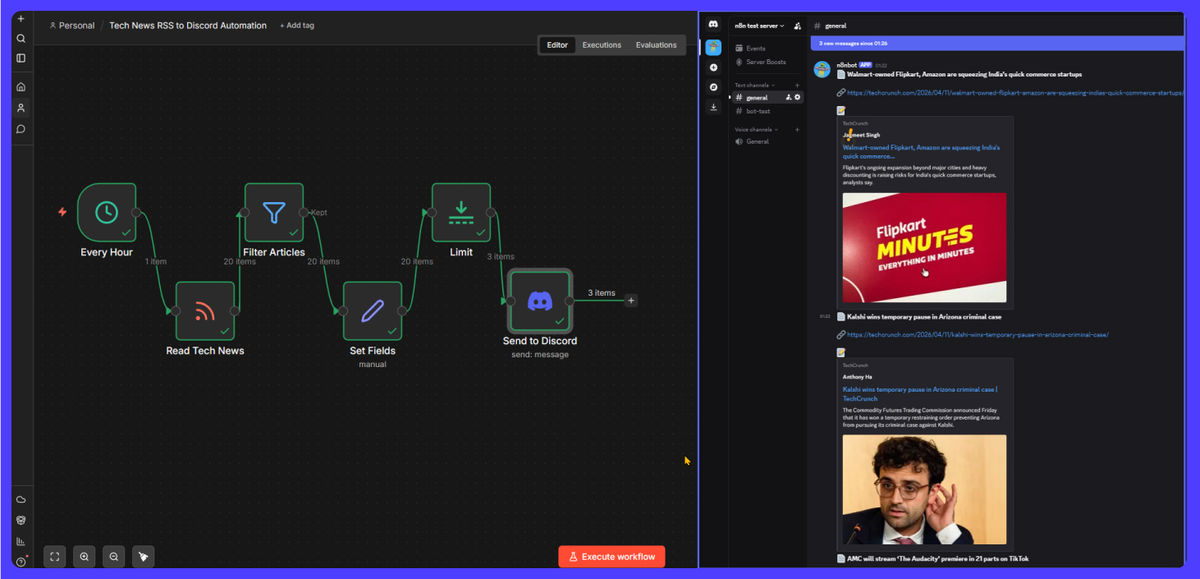
This model works well for quick integrations, internal automations, and low-code experimentation.
n8n also supports advanced features like running shell commands, SSH access to remote machines, and AI integrations with LLMs and agents.
But everything assumes one thing: your workflow lives inside n8n.
The Limitation: Workflows Are Tied to the Runtime
In n8n, workflows are not portable as standalone software components.
You need the n8n server running, the workflow deployed inside it, and external systems calling into n8n via webhooks or triggers. You can work around some of this with polling or webhooks, but you are still managing an external dependency.
This creates friction when you want to embed automation into your own app, version workflows alongside your code, deploy logic as part of a backend service, or reuse workflows across multiple systems.
n8n excels as a hosted automation tool, but not as a code-native building block.
How Kemu Thinks About Workflows Differently
Kemu starts with a similar visual model, but does not stop there.
In Kemu, a workflow is called a Recipe. Recipes are built using Widgets (inputs, logic, outputs) that you arrange visually in the Composer (the UI canvas).
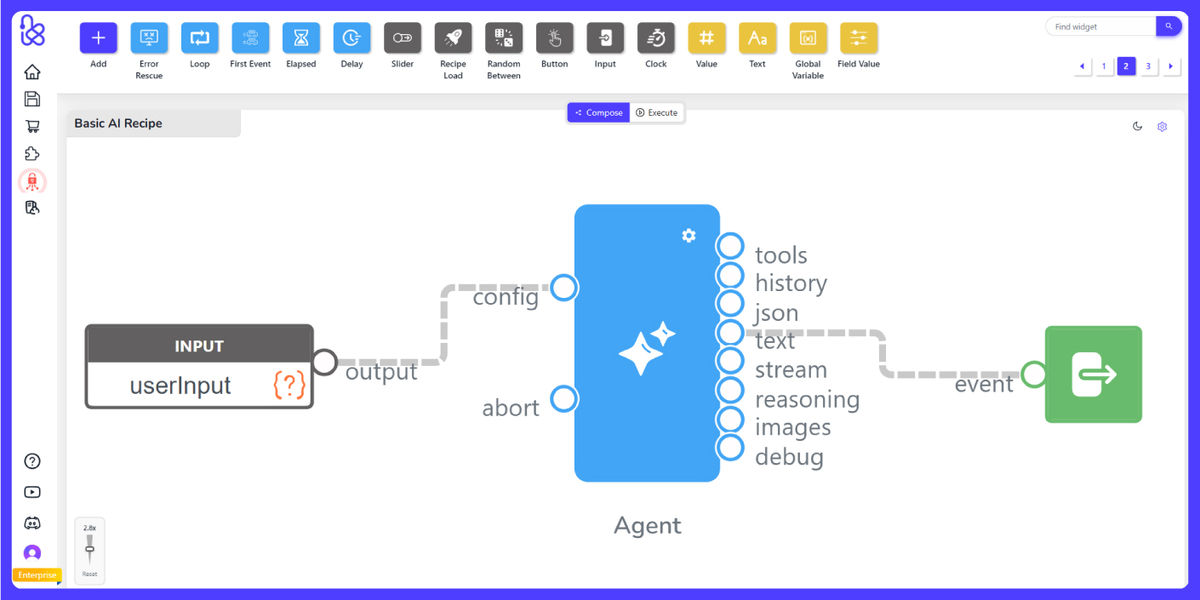
So far, this feels familiar. But here is the key shift: a Kemu recipe is not just a workflow. It is a deployable unit of software.
The Big Difference: Kemu Edge Export
You can export any Kemu recipe into a standalone Node.js application.
This is called Edge Export.
When you export a recipe, you get a runnable Node.js app (main.js), the recipe definition, dependencies and environment config, and optional service plugins. The generated code is clean enough to debug, which matters when something breaks at 2 AM.
That exported package can run on a server, inside your backend, as a microservice, or in edge environments.
No Kemu UI required.

This moves Kemu beyond automation tooling into application architecture.
Real-Time Workflows, Not Just Backend Automations
Another appealing part of Kemu is that it is built for real-time interaction, not just delayed server-side orchestration.
Because Kemu recipes can operate with native pixel-level image manipulation, users can build workflows for live image processing rather than treating images as static files passed between disconnected tools. That matters for use cases like camera feeds, visual inspection pipelines, image enhancement, masking, transformation, and other workflows where the output needs to react immediately to incoming visual data.
This is a meaningful difference from systems that are mostly optimized around JSON passing between SaaS integrations. Kemu is comfortable handling workflows where the payload is not just text or API data, but visual binary data that needs direct, low-level processing.
Kemu is also designed for the edge. When a recipe runs on an edge computer, it can integrate more naturally with hardware devices connected to that machine directly. Cameras, sensors, industrial equipment, local controllers, and other peripherals can become part of the workflow without forcing everything through a distant cloud runtime first.
That makes Kemu especially compelling for scenarios like on-device AI, smart kiosks, robotics, manufacturing stations, or any system where low latency and direct hardware access matter. In those environments, the workflow is not just automating software. It is reacting to the physical world in real time.
Using Workflows as Code (Not Just Automation)
The biggest difference is how Kemu integrates with real codebases.
In n8n
You call workflows via webhook. The logic stays inside n8n.
In Kemu
You can start a recipe programmatically, send input data directly, and wait for output synchronously.
For example, your backend sends data into a recipe. The recipe processes it using AI, logic, or APIs. Your code receives the result immediately. This is closer to calling a local function than managing an API integration.
This turns a visual workflow into something closer to a function call.
Exporting Recipes as Libraries
Kemu does not just export apps. It can export recipes as JavaScript libraries.
That means you can import a workflow into your codebase, use it like a module, and compose it with other application logic.
This is a major shift from tools like n8n.
Instead of calling an external automation tool, you use the workflow as part of your system.
Example: News Aggregator in Both Worlds
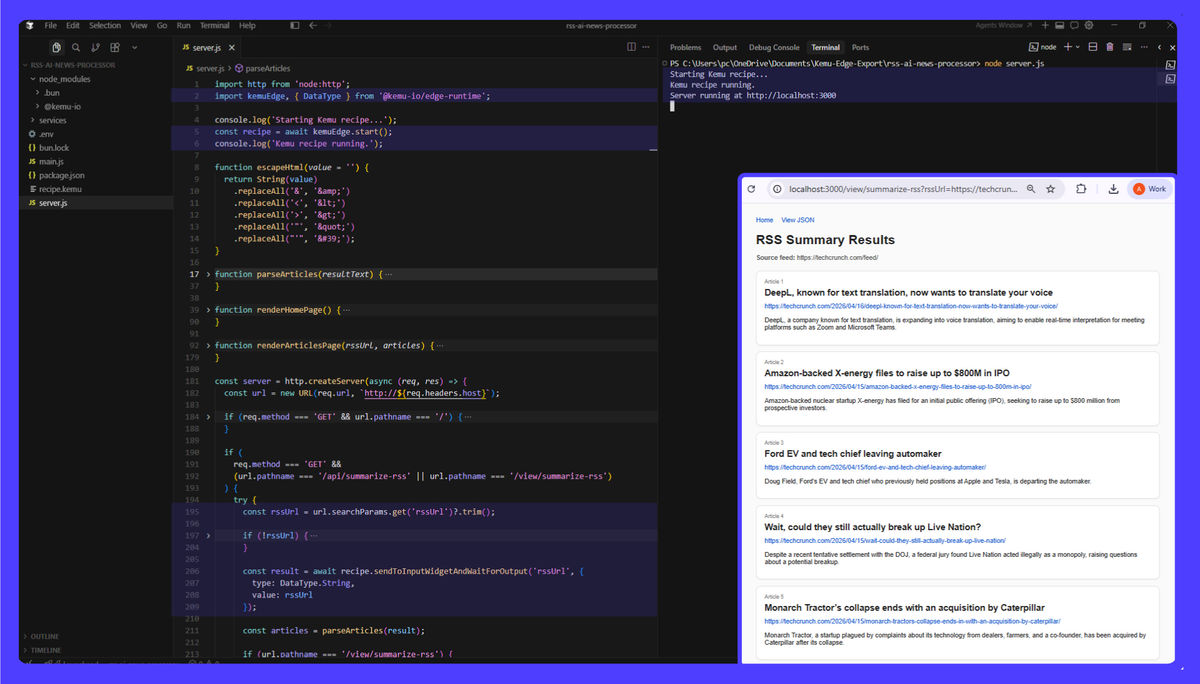
Let's revisit the earlier RSS-to-Discord example.
In n8n
The workflow runs on a schedule, processes items one by one, sends messages to Discord, and lives entirely inside n8n.
In Kemu
You could build the same recipe using an Input Widget (RSS URL or trigger), processing widgets (filter, transform, AI summarization), and an Output Widget (formatted results).
But then you can export it as a Node.js service, call it from your backend API, use it in multiple apps, or swap the Discord output for anything else without changing infrastructure.
When to Use n8n vs Kemu
n8n is a strong choice if you want a quick automation server, prebuilt integrations, and minimal setup for internal workflows.
Kemu is a better fit if you need workflows that become production services, tight integration with your codebase, reusable logic as libraries, real-time image processing, direct interaction with edge-connected hardware, and the ability to run workflows outside the platform.
Final Takeaway
n8n treats workflows as something you run inside a tool.
Kemu treats workflows as something you build, export, run in real time, and own.
That difference matters most when you move from automation to real product development, when your workflows stop being side utilities and start becoming core infrastructure.
With Kemu, the visual canvas is just the beginning. The end result is actual, executable software. Log in to Kemu and try it out for ourself.
Ready to get started with Kemu?
Build your own computer vision solutions without writing code. Start creating powerful ML and machine vision pipelines today.